 Timbler
Cloud storage where even names are private.
Folders, uploads, versions and public links — with every file, file name and folder encrypted before it leaves your device. One storage for all Timbler apps.
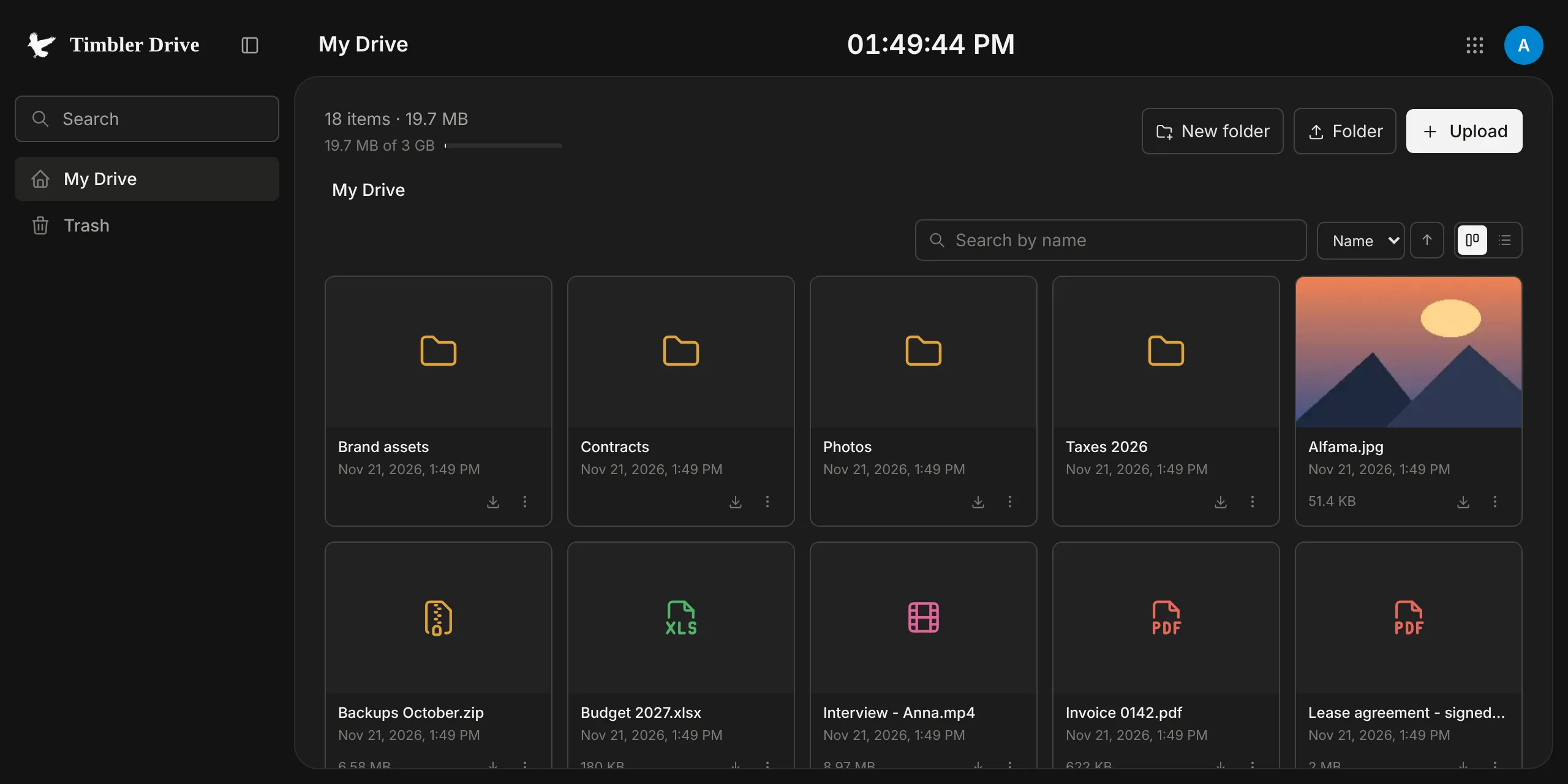
A cloud drive without the blind trust.
Encrypted file tree
File and folder names are content too: our servers see only opaque nodes.
Versions
The last 100 versions, up to 30 days — or pin a version to keep it forever.
Public links
Share a file with anyone. The key is in the link fragment, which never reaches our server.
Large files
Files upload in encrypted chunks straight to object storage.
Private search
Search by name happens in your browser over the decrypted tree.
One storage for everything
Space is shared across Note, Chat, Magic, Mail and the rest — see what uses it.
How Drive keeps it private
Each file has its own random key, wrapped by its folder’s key, up to your Drive root key, which is derived from your account key. Contents are uploaded in encrypted chunks directly to object storage through short-lived signed URLs.
- What we store: encrypted chunks, encrypted node records, sizes, versions and timestamps — enough to sync and to count your quota.
- Public links: the page that opens a link runs on a separate domain and decrypts the file in the recipient’s browser with the key from the URL fragment. You can set an expiry, a password and revoke the link at any time.
- Trash keeps deleted items for 30 days.